SHARE

Using a Smartwatch for Tennis: Keep Score on Your Wrist, Stay Focused on the Game

Stay focused on court with a smartwatch that keeps score, analyses your strokes and tracks your fitness. 2026's most popular tennis watch apps in one guide!

October 23, 20267 min read
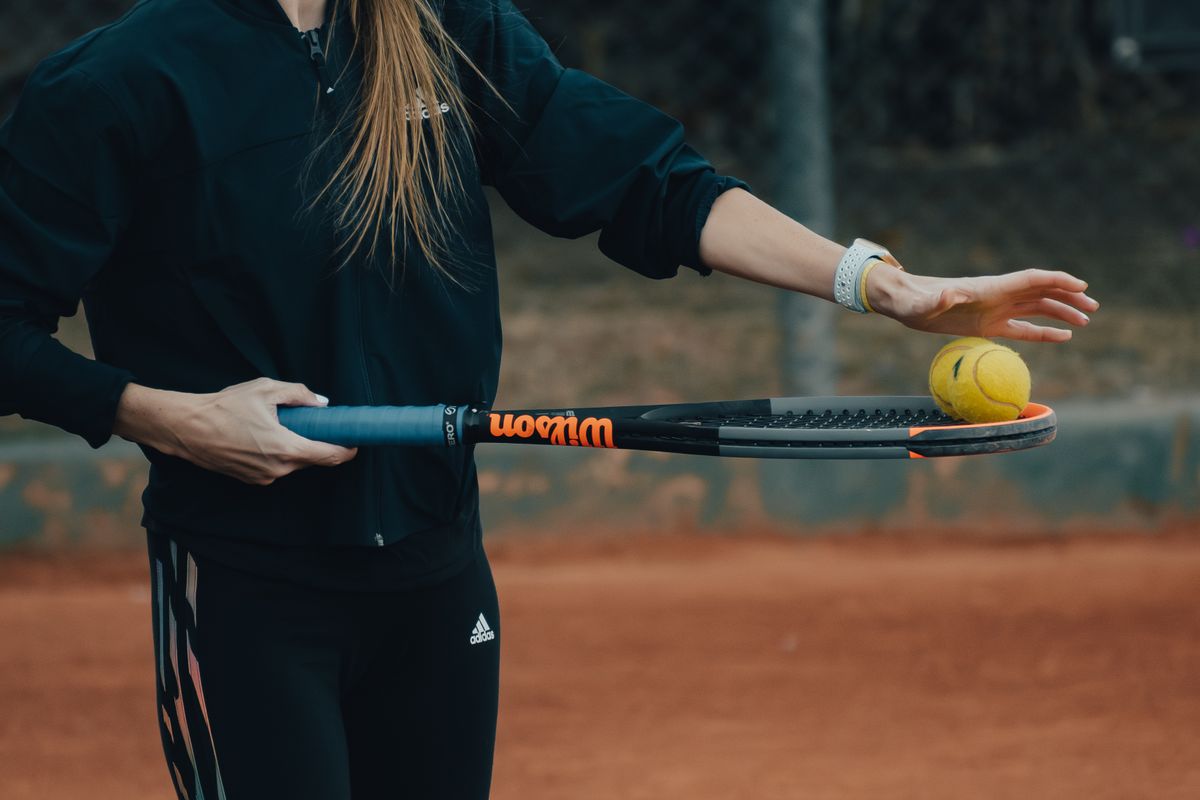
Player on a clay court holding two tennis balls on the racket, with a smartwatch on the left wrist

After a gruelling rally you sprint for a ball landing near the line, win the point with a perfect down-the-line shot and take a deep breath. As your opponent walks to the service line, they suddenly stop and ask: "Was it 30-15 or 30-30?"

Every tennis player who steps on court has lived this scene more times than they can count. Tennis demands intense mental focus as much as physical endurance. But amateur and club matches have no umpire, so remembering the points, tracking the serving order and working out who serves from which side in a tie-break often breaks a player's concentration.

As of 2026, the rapid shift in sports technology is leaving this problem behind for good. Smartwatches with advanced sensors and their own app ecosystems have become your most reliable digital assistant on court. Instead of running to the phone in your pocket or bag, you can keep score with a single tap on your wrist and put your full attention on the next point without losing tactical momentum.

Mental Clarity on Court: Why Keep Score on Your Wrist?

Mental toughness is one of the keys to winning tennis matches. During a match a player's brain makes hundreds of micro-decisions in seconds: reading the spin on the incoming ball, adjusting footwork and choosing the right angle for the shot. Trying to hold the score in your head under that pressure adds needless cognitive load.

Keeping score straight from your smartwatch does more than take the load off your memory:

Why keep score on your wrist

  • No More Score Disputes: In competitive matches among friends, score mix-ups sometimes sap motivation and cause needless friction. Every point entered on the wrist as it happens leaves a transparent record that neither side can dispute.
  • Protecting Momentum: The 25-second recovery time between points is precious in tennis. Instead of trying to remember the score, you log the point with a light tap on your wrist and focus on steadying your breathing and planning the next tactic.
  • Avoiding Rule Mistakes: Especially in tense tie-breaks or doubles matches, the serving rotation can get mixed up. Smartwatch apps automatically show who serves from which side.
  • Data-Driven Progress: When the match ends you see not just the win or loss but how long the match lasted, how much energy you spent in each set and how you did on the key points.

How Do Smartwatches Work in Tennis? Hardware and Sensors

A smartwatch performs flawlessly on a tennis court thanks to the advanced hardware inside it. Today's wearables offer far more than a simple step counter.

The built-in gyroscope and high-precision accelerometer sample the speed and angle of your arm at millisecond intervals. Some advanced tennis apps use these sensors to detect shot types automatically, such as forehands, backhands, smashes and serves.

The optical heart-rate sensor measures your cardiovascular load through long rallies. By recording how far you cover on court, your sprint speed and how quickly your heart rate recovers during breaks, it helps you fine-tune your fitness.

The haptic (vibration) motors in modern devices also let you feel that the score was recorded without even looking at the screen. When you win a point, pressing a physical button on the case or tapping the screen once confirms with a light vibration that the point has been logged.

Tennis Smartwatch Apps and Ecosystems That Stand Out in 2026

Wearable technology in tennis centres on two main platforms: the Apple ecosystem and Garmin sports watches. Each offers tennis players different strengths.

Apple Watch users can leave their phones in their bag at the side of the court thanks to standalone apps on the Apple App Store. Their interfaces are built with large buttons that are easy to tap even with sweaty hands or while holding a racket. Most modern apps combine score tracking with Apple Health, recording the active calories burned and heart-rate zones across the match as workout data.

Garmin models, which put durability and long battery life first for athletes, stand out with tennis apps from the Garmin Connect IQ store. Besides the touchscreen, these apps let you keep score with physical button combinations, and displays that stay readable in bright sunlight make them very comfortable on outdoor courts.

Apple Watch vs Garmin for tennis
Feature / CriterionApple Watch EcosystemGarmin Sports Watches
Score interfaceLarge touchscreen, colour graphics and spoken score announcementsPractical control with physical buttons, high-contrast display
Standalone usePlay entirely without a phone and record on the watchFull match management on the watch without a phone
Physical & biometric trackingDetailed heart rate, calories, Apple Health syncAdvanced recovery time, stamina and training load
Battery lifeNeeds a daily charge after 1 to 2 matchesBattery lasts for days, uninterrupted use on tournament days
Ideal userClub players who want rich visuals and easy touch controlPerformance athletes who want demanding training data, battery life and physical buttons

Pro Rules and Amateur Play: Are Smartwatches Allowed?

Technology in tennis long lived in the shadow of conservative rules. In recent years, though, that stance has noticeably relaxed.

The International Tennis Federation (ITF) sets standards for on-court data collection under the heading of Player Analysis Technology (PAT). In the professional game, too, rules now allow players to wear biometric tracking devices during matches. In official tournaments, however, smart notifications that could deliver instant messages or coaching prompts must be switched off to block tactical communication from outside.

In amateur leagues, local club tournaments and friendly matches, things are far more relaxed. A smartwatch is not seen as a "cheat" but as a useful tool that keeps the match flowing and settles the score in matches without an umpire. Still, for a respectful atmosphere it is always good court etiquette to tell your opponent before the match that you will keep score on your watch.

Tips to Boost Your Performance on Court: Using a Smartwatch Well

A few practical points help you get the most out of the technology on your wrist.

Wear the Watch on the Right Wrist

If you hold the racket in your right hand, it is best to wear your smartwatch on your left wrist. The heavy vibration and sudden shock of impact on the racket arm can put needless strain on the watch and hurt your hitting comfort. With your other hand free, pressing buttons between points also feels much more natural.

Silence Your Notifications

When you step on court, turn on your watch's "Do Not Disturb" or "Tennis Mode" profile. An email or message buzzing on your wrist just as you are about to serve can break your concentration completely. Your watch should focus only on match stats and keeping score.

Protect It with a Sweatband

In summer or in fast-paced matches, sweat can make touchscreens less responsive. A good tennis sweatband worn just above or below your watch keeps the screen clean and dry, so entering points goes smoothly.

Review Your Post-Match Reports Regularly

After the match, analyse the data transferred to your phone app. Seeing in which games your heart rate spiked and in which set you faded physically helps you plan your conditioning properly.

Free Your Mind, Let Your Racket Do the Talking

Tennis is a sport decided by seconds and centimetres. Wondering what the score is while stretching for a volley at the net or going for a down-the-line backhand pulls you out of the rhythm of the game.

Wearables and modern scoring apps give players a truly professional feel even in matches without an umpire. With the convenience of the technology on your wrist you can leave score confusion behind and put all your energy into good footwork, clean technique and enjoying the match.

WITH RACKET CRUSH

Let your watch keep score, you keep your focus

Start the match on your Apple Watch → tap the side that won each point → the watch counts 15-30-40, deuce and the tie-break for you → when the match ends, the score moves to Racket Crush on your phone.

Download the app

Frequently Asked Questions

Does wearing a smartwatch on my racket arm affect my swing?
It is generally recommended to wear a smartwatch on the arm that does not hold the racket. You may feel extra weight on the racket arm, and the mechanical shock of hard shots can strain the watch's sensors and touch functions. Wearing it on the other arm is far more comfortable and ergonomic.
Can I read my smartwatch easily outdoors in the sun?
Yes. Modern smartwatches come with high-brightness AMOLED screens or anti-glare transflective displays, so you can read the score and serving order at a glance even in the brightest midday sun.
How much does tennis drain my smartwatch battery?
Apps that keep score and track heart rate at the same time use more power than standard watch mode. Devices like the Apple Watch use roughly 15 to 25 percent of their battery in a demanding two-hour match, while sports-focused watches like Garmin use far less.
Do I need my phone with me throughout the match to keep score?
No. Most current tennis apps are built to run fully standalone on the smartwatch. You can leave your phone in the clubhouse or in your bag by the court, and all score and health data syncs automatically when the match ends.

Related posts